How to read a block explorer
A block explorer is a search engine for a blockchain. Here is how to look up transactions, addresses, blocks and tokens, and verify a payment yourself.
Quick answer
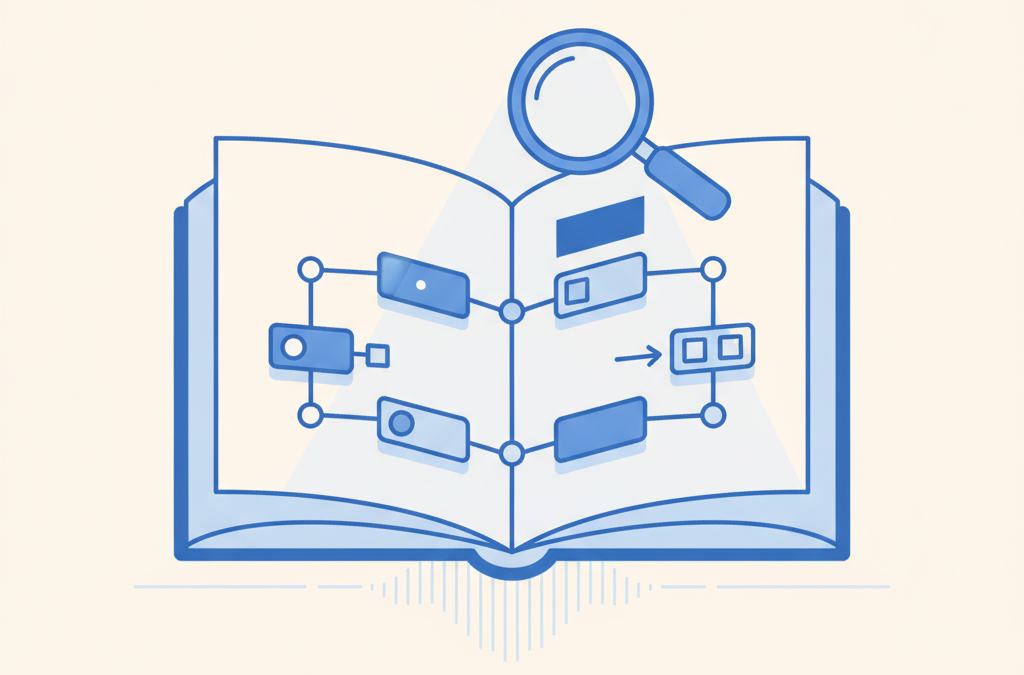
Think of a block explorer as a public search engine for a blockchain. Paste in a transaction hash to see its status and confirmations, look up any address's balance and full history, or inspect blocks and contracts. No account, no login — read-only, always.
Key points
- An explorer displays public chain data, it does not control it
- Search a transaction hash to see status and confirmations
- Search an address to see its balance and full history
- Verify the whole address, not just the first and last characters
- It is read-only, so never enter a private key or seed phrase
A block explorer is a search engine for a blockchain, and once you can drive one you stop taking anyone’s word for anything. Public chains are open by design. Any transaction, any address, any block — you can pull it up with no account, no permission, no login. That is a quiet kind of power. You can confirm a payment landed, watch a transaction that seems stuck, or size up an address before you send it a cent. The network keeps its own records. This is how you go and read them.
What a block explorer is
Every public blockchain writes its data out in the open. Here is the catch. That raw data is a wall of hashes and hex, and no human on earth wants to read it. So the explorer sits in the middle: a website that reads the chain and lays the same information out in a form you can actually search. Each major network has its own. You paste in an identifier — a transaction hash, an address, a block number — and back comes the matching record, pulled straight from the chain.
The part people miss is about ownership. An explorer does not own or control a single thing it shows you. It just displays what is already public. That is the whole reason you can check a transaction without signing in, and the reason two rival explorers for the same network agree with each other. Picture them disagreeing about a confirmed transaction for a second. The bug would live in one explorer’s display — never in the chain itself. The chain is the source of truth. Everything else is only a report of it.
Looking up a transaction
The everyday job is checking one specific transaction. You search its transaction hash — you will also see it called a TxID or TxHash — which is a long string of letters and numbers that points to that transaction and nothing else. The explorer answers with a set of fields. These are the ones worth knowing:
- Status. Pending, succeeded, or failed. And a failed transaction can still cost you a fee, which catches people out — what gas fees actually pay for covers why.
- Confirmations. How many blocks have stacked on top of the one holding your transaction. More blocks on top, more settled — the idea gets unpacked in how a crypto transaction gets confirmed.
- From and To. Sending address, receiving address.
- Value. What moved.
- Fee. What it cost to get processed.
- Block and timestamp. Which block swallowed it, and when.
This is the thing. It is how you prove — yourself, independently — that a payment you sent or expected actually arrived, at the right address, for the right amount, without leaning on a wallet’s tidy little summary.
Looking up an address
Search an address instead and you see its life. Usually the current balance, plus a running list of transactions in and out, every one of them clickable. The ledger is public. So an address’s entire history just sits there, readable by anyone who cares to look.
Which is exactly why people call blockchains pseudonymous, not anonymous — a distinction that trips up newcomers constantly. An address wears no name tag. But everything it has ever done is on display, and with enough analysis those movements can sometimes be tied back to a real person. Treat that as a reality check before you move money. Once funds leave, that transfer becomes a permanent public entry, and anyone holding the address can inspect it. Forever is not an exaggeration here.
Reading a block
You can also pull up a single block by its number. Its page shows when the block was produced, who produced it — the miner or validator — how many transactions it carries, and the full list of them. Do you need this for a routine check? Almost never. But it makes the abstract suddenly concrete. You can sit and watch fresh blocks land at a steady beat, each one stuffed with real transactions. For who is producing them in the first place, see what miners and validators actually do.
Checking a token or contract
On networks that run smart contracts, an explorer can tell an ordinary wallet address apart from a contract address. A contract’s page tends to carry extra tabs — its code, when the developers have published a verified copy; the tokens it manages; the transactions that have touched it. That verified code matters more than it sounds. A technically minded user can read what a contract really does before trusting it, which loops straight back to the caveats in what a smart contract is and what it isn’t.
For tokens, the explorer surfaces the token’s contract address and how many addresses hold it. Genuinely useful. And here is where people get burned: scams float fake tokens dressed up in a famous name. Confirming that you are looking at the correct, official contract address — not some copycat riding the brand — is a basic safety move. The explorer is where you make it.
Common things people actually check
A block explorer earns its keep in a handful of ordinary moments. Learn those and it stops being a novelty; it becomes a reflex.
- Confirming a deposit or withdrawal. Exchange says your transfer is “processing”? Paste the hash in and watch the confirmations tick up, instead of refreshing an app and praying.
- Diagnosing a failed transaction. When something did not go through, the status field says so, and often hints at why — that it ran out of gas, for instance. Beats a generic error message by a mile.
- Checking a fee. Before or after, you can see exactly what a transaction paid. Useful when you are trying to work out why the complicated stuff costs more.
- Verifying a token is the real one. Before you touch it, confirm the official contract address matches. One step. It sidesteps the copycats.
In every one of those, the explorer swaps trust for verification. You stop believing what an interface tells you and go read the chain’s own record. Check, do not assume. It might be the single most useful habit you can build in crypto.
Using an explorer safely and sensibly
A block explorer is a read-only window. Looking at data cannot move your funds, and you never — ever — need to type a private key or seed phrase to use one. That bears stressing, because a request to do so is always a scam. No exceptions. Keep those secrets to yourself; the mechanics of why sit in public and private keys, explained properly.
A few habits turn an explorer from a curiosity into something you rely on:
- Verify the whole address, not just the ends. Attackers generate lookalike addresses that match the first and last few characters. Check enough of the string to be sure.
- Use it to confirm, not to trust blindly. A transaction existing on-chain proves the transaction happened. It says nothing about whether the person on the other end is honest.
- Match the explorer to the network. A transaction on one chain will not appear on an explorer built for another. Right chain, right explorer.
- Treat labels with care. Some explorers let users tag addresses with names. Handy. Not authoritative.
What this means
A block explorer turns a blockchain’s openness into something you can put to work. Give it nothing but a transaction hash or an address and you can verify a payment’s status, count its confirmations, walk an address’s whole history, and check whether a token or contract is the real thing. It is the practical tool that ties together everything else about how blockchains behave. And because it only ever reads, one rule covers you completely — the same rule that always applies. Never enter your private key or seed phrase anywhere to use it. For the ledger it is reading from in the first place, start with what a blockchain actually is.
Sources
Frequently asked questions
Do I need an account to use a block explorer?
No. Public blockchains are open, so you can look up any transaction, address, or block on an explorer without registering or logging in.
Is it safe to enter my address into a block explorer?
Yes. An address is public and only reveals activity that is already recorded on the chain. You should never enter a private key or seed phrase, however, as an explorer never needs one.
What is a transaction hash?
It is a long, unique string of letters and numbers that identifies a specific transaction. You paste it into an explorer to look up that transaction's status, amount, and confirmations.
Related

What Is a Hash Function? A Plain-English Guide
A hash function turns any input into a fixed-length fingerprint; here is how it works and why blockchains rely on…
What Is a Nonce in Blockchain?
A nonce is a number used once: in mining it is the value miners change to find a valid block…
How crypto phishing attacks actually work
How crypto phishing attacks work: the tricks that steal wallets, the wallet-drainer signature scam, and the simple habits that stop…